
Body measurements
Remote body measurements for made-to-measure clothing
Collect the measurements a made-to-measure order depends on without asking the customer to find a tape measure.
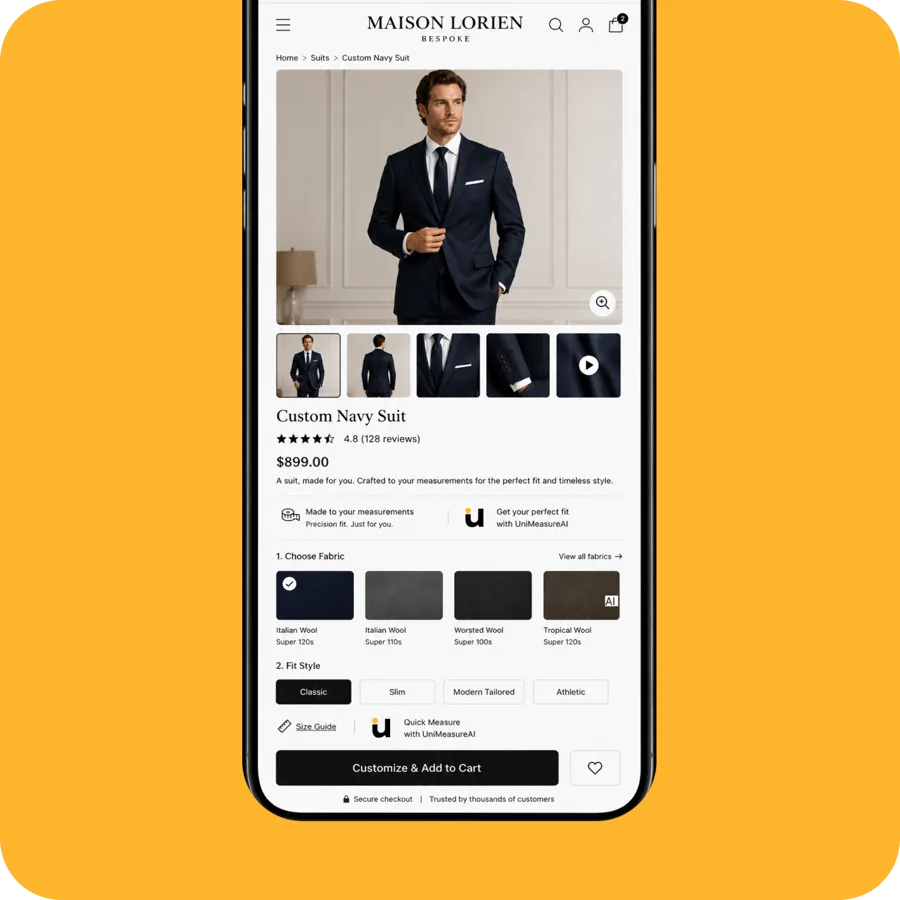
Collect body measurements; keep tailoring decisions with the tailor
Made-to-measure businesses rely on the customer supplying usable measurements before production can start. Asking a shopper to self-measure with a tape introduces errors and drop-off. A guided camera measurement gives the customer a structured way to capture the measurements you need, in the browser, at the point they are ready to order.
How it works for your store
- Discuss the body measurement fields your made-to-measure process needs and confirm that the tailoring workflow covers them before onboarding.
- The customer completes guided camera capture in the browser to generate body measurements, rather than choosing a ready-to-wear size.
- Use the measurements as inputs to your own tailoring process. Your tailor remains responsible for reviewing their suitability, applying fit allowances and deciding whether further measurements or a fitting are needed.
Requirements and limitations
Body measurements describe the person. Garment measurements describe the finished clothing; pattern dimensions and fit allowances are separate construction decisions. Camera capture does not automatically turn body measurements into a production-ready pattern. Arrange the review and handoff with your own team, and confirm with UniMeasureAI how measurements are delivered into your process before onboarding.
Questions about tailoring & made-to-measure
Other product categories
See it working on a real storefront
Try the live demo store, or book a 30-minute call and we will walk through your size charts and product range.
The demo store asks for a password: test