
Body measurements
AI size recommendations for Shopify apparel
Match shoppers to your own apparel size charts instead of asking them to interpret a generic S/M/L grid.
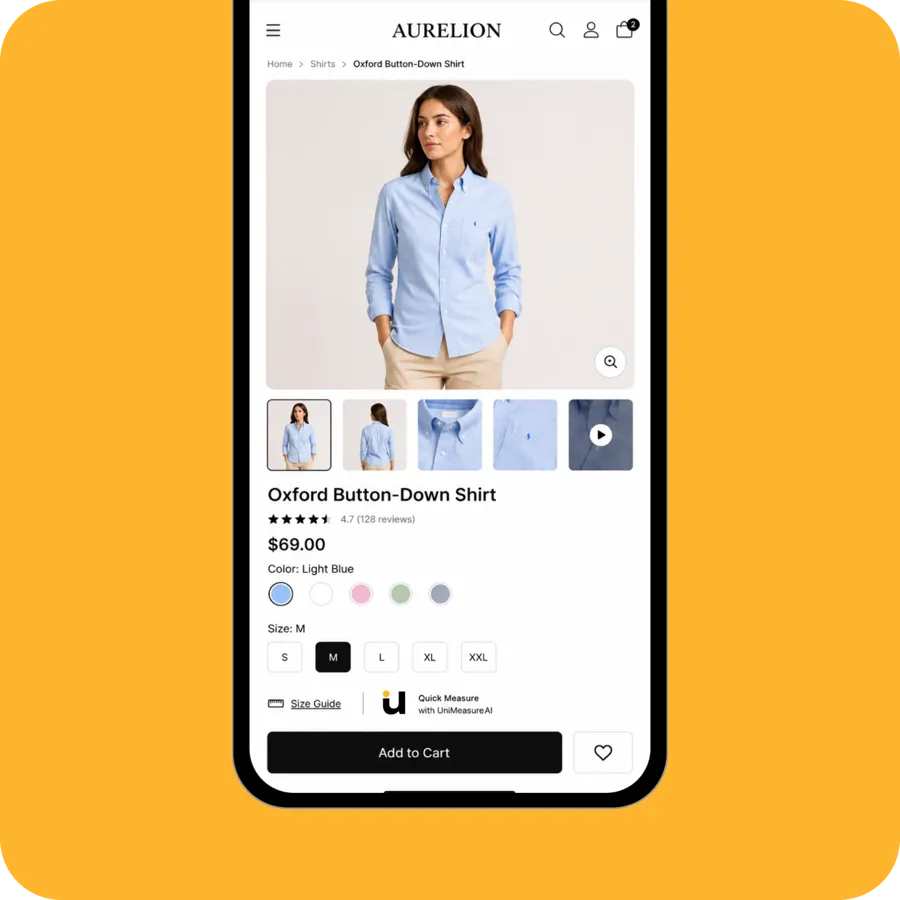
Match apparel measurements to the right product chart
A medium is not a universal measurement. Apparel shoppers regularly reinterpret sizing for every new brand they buy from, and many simply do not know their own body measurements. UniMeasureAI captures the body measurements relevant to the garment and compares them with the size chart you configured for that product or category, so the recommendation reflects your fit rather than an industry average.
How it works for your store
- Install UniMeasureAI from the Shopify App Store and configure the apparel size chart for each product or category, using the body measurements the chart expects. Apparel body measurements are included from the Starter plan upwards.
- The shopper follows the body-capture guide in their browser; the camera flow generates measurements for chart matching.
- The relevant configured chart gives clothing-size guidance before purchase. Separately configured charts let multi-brand ecommerce stores account for differences between brands and products.
Requirements and limitations
For example, shirts and trousers may use different chart fields even within one brand. Keep size labels, units and measurement definitions consistent with each chart. A size recommendation is guidance, not a promise about fabric stretch, cut or the shopper’s preferred fit.
Questions about fashion & apparel
Other product categories
See it working on a real storefront
Try the live demo store, or book a 30-minute call and we will walk through your size charts and product range.
The demo store asks for a password: test